
TPMS Light on a Honda: The Complete Owner's Guide
Last updated: September 27, 2026 · Reading time: 7 min
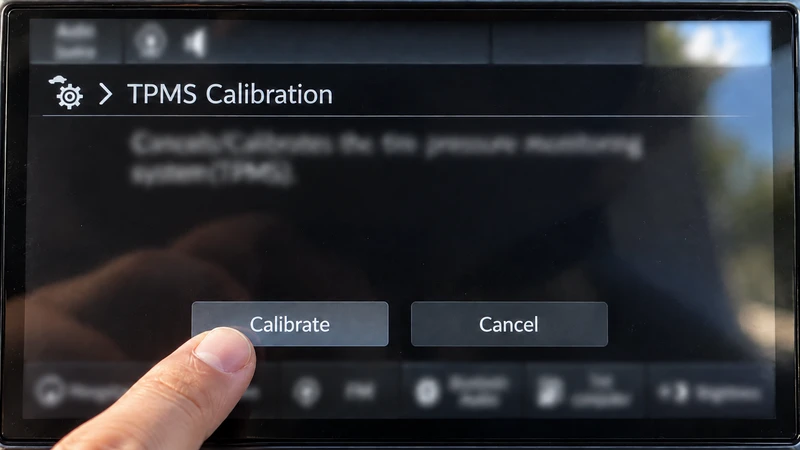
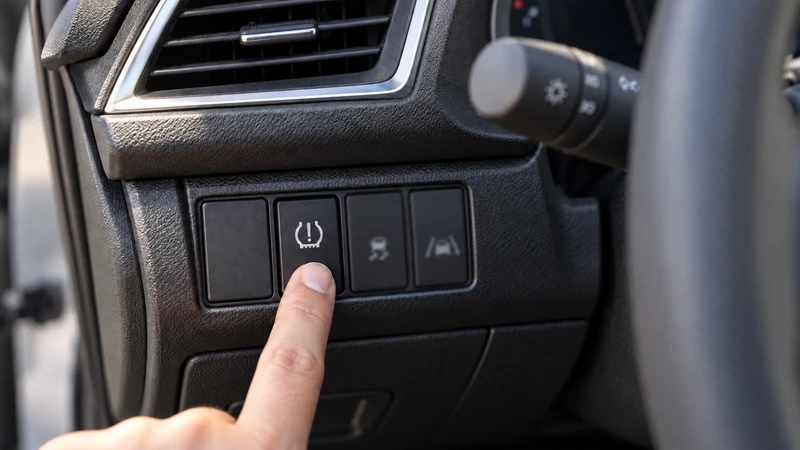
Most Hondas use indirect TPMS — no wheel sensors, no PSI display; the car infers low pressure from wheel speed (the 2026 Pilot is the first exception, with per-tire PSI readout). When the light comes on: inflate all four tires to the door jamb PSI, cold, then recalibrate (infotainment → Settings → Vehicle → TPMS Calibration, or the button left of the steering column) and drive about 30 minutes.
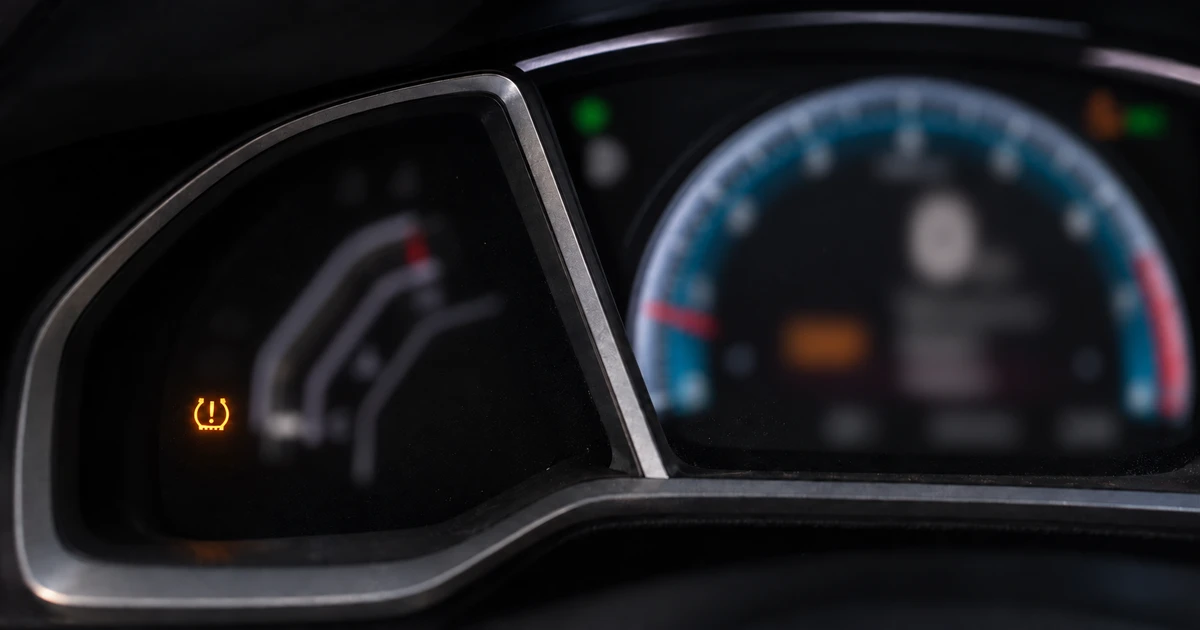
Honda Uses Indirect TPMS — Why That Changes Everything
Almost every Honda sold in the US — Civic, Accord, CR-V, HR-V, Odyssey — uses indirect TPMS. There are no pressure sensors inside the wheels. Instead, the ABS system watches how fast each wheel spins: a tire that's low on air has a slightly smaller diameter, so it spins fractionally faster than the others. Enough difference, and the amber light comes on.
One exception is already here: the 2026 Pilot moved to direct TPMS — it shows a live PSI reading for each individual tire in the digital cluster, and its Tire Fill Assist chirps the horn when you've added enough air. Honda is clearly transitioning, so treat “indirect” as the default for Civic/Accord/CR-V/HR-V but check the feature list for your exact model and year — especially on newer redesigns.
Three practical consequences. First, no PSI numbers — your dash can never show which tire is low or by how much; you check all four with a gauge. Second, no sensor batteries to die — the classic “dead TPMS sensor” failure that plagues other brands mostly doesn't apply to Hondas, and anyone quoting you four new sensors for a Honda TPMS light deserves a second opinion. Third, the system only knows relative differences against a stored baseline — which is why recalibration after any tire work is mandatory, not optional. (The direct-vs-indirect hardware deep dive is in the TPMS sensor guide.)
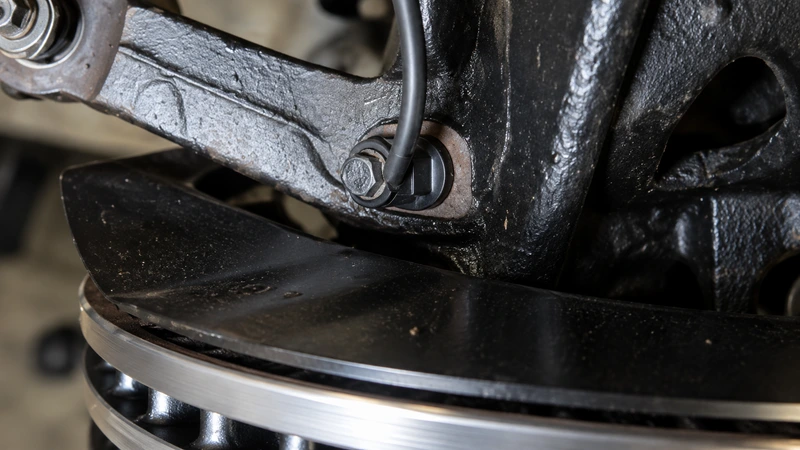
What Triggers the Light on a Honda
On a direct-TPMS car the light means one thing (a tire is 25% below spec). On a Honda it means the wheel-speed pattern drifted from the calibrated baseline — which has more possible causes:
- A genuinely low tire — still the most common cause. Gauge-check all four, cold, against the door jamb sticker (two-minute procedure).
- The first cold snap of the season — all four tires drop ~1 PSI per 10°F together; borderline tires cross the threshold overnight. Details in why pressure drops in cold weather.
- Tire work without recalibration — rotation, new tires, or even topping up air, if nobody reset the baseline afterward.
- Uneven tire wear or mismatched tires — one worn-down tire spins faster than the others and mimics a low tire.
The takeaway: on a Honda, “TPMS light” and “low tire” overlap heavily but aren't identical — which is why the response is always the same two-step: verify with a gauge, then calibrate.
How to Reset the TPMS Light on a Honda (Calibrate)
Honda calls the reset a calibration, and it always follows the same order — pressure first, baseline second:
1. Inflate all four tires to spec, cold
Door jamb sticker number, tires cold (parked 3+ hours). Whatever the pressures are when you calibrate becomes “normal” — calibrate with a low tire and you've taught the car a bad baseline.
2. Start the calibration
Touchscreen models: Home → Settings → Vehicle → TPMS Calibration → Calibrate. Button models: press and hold the TPMS button (low on the dash, left of the steering column) until the light blinks twice.
3. Drive about 30 minutes
Calibration completes in the background while you drive — Honda's 2016 Civic procedure specifies ~30 minutes of cumulative driving at 30–65 mph; the window is similar on other models but check your manual for the exact figure. There's no confirmation message on most models — if it worked, the light simply stays off.
Model-by-Model Cheat Sheet
Where the calibration lives on the common models. The exact menu path shifts between generations — your owner's manual is the final word for your year.
| Model | Where the calibration is |
|---|---|
| Civic | 2016+: infotainment menu → Settings → Vehicle → TPMS Calibration. 2015 and older: button left of steering column |
| Accord | 2018+: infotainment menu path. Older generations: TPMS button low on the dash, left side |
| CR-V | 2017+: infotainment menu path. Earlier: button left of the steering column |
| HR-V | Infotainment menu path on touchscreen models; button on base trims without one |
| Pilot | 2016-2025: infotainment menu path; earlier: physical TPMS button. 2026+: direct TPMS with per-tire PSI display — no calibration needed, the system reads actual pressures |
| Odyssey | 2018+: infotainment menu path. Earlier: physical TPMS button |
When Calibration Won't Complete (or the Light Comes Back)
You calibrated, and the light returned — or never left. Work this list in order:
- Recheck pressures with a real gauge, all four, cold. The most common outcome: one tire is 3–4 PSI low and the first check missed it.
- Look for a slow leak. A tire that drops every few days keeps re-triggering the light no matter how many times you calibrate — see why tire pressure keeps dropping.
- Actually finish the drive. Calibration needs roughly 30 minutes of cumulative 30–65 mph driving. Two days of five-minute commutes may never complete it — take one highway run and watch.
- Check for mismatched or unevenly worn tires. A single new tire paired with three worn ones (or mixed sizes) permanently skews the wheel-speed comparison.
A blinking TPMS light on a Honda is different: that's the system reporting a fault of its own rather than a tire problem — less common on indirect systems, but when it happens it points at the ABS/wheel-speed hardware, which is a shop diagnosis, not a driveway one. The general flashing-light logic is in TPMS light flashing.
When It's Not Just the TPMS Light
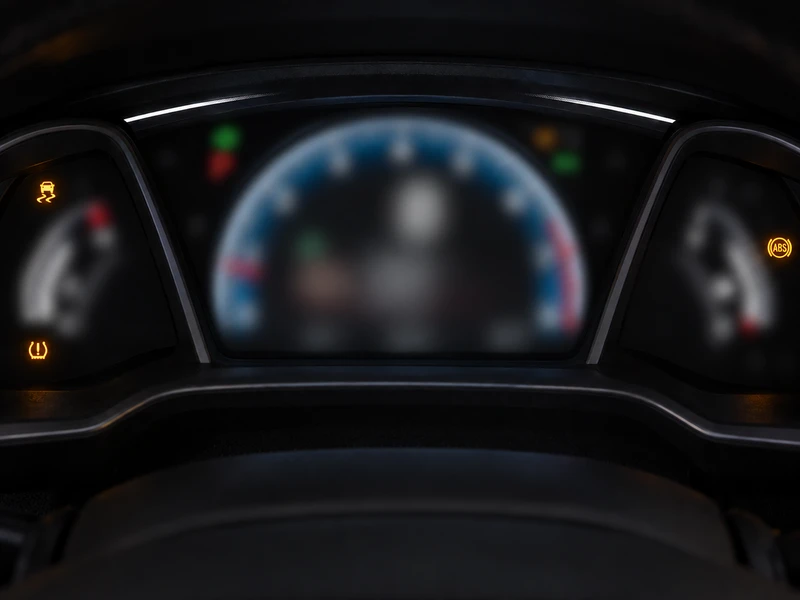
Because Honda's indirect TPMS rides on the ABS hardware, a failing wheel-speed sensor can take both systems down together. The tell: the TPMS light appears alongside other warnings — VSA (Vehicle Stability Assist), ABS, or the check-engine light — or the TPMS light blinks from the first startup with correct pressures and fresh calibration.
That combination isn't a tire problem, and no amount of calibrating will fix it — it needs a scan tool to read the ABS fault codes and usually a wheel-speed sensor replacement, which is a straightforward shop job. The important thing is recognizing the difference: TPMS light alone = start with tires and calibration. TPMS light plus friends = skip to the mechanic.
Key takeaways
- ✓Most Hondas use indirect TPMS: no wheel sensors, no PSI display, no sensor batteries to die. The light comes from ABS wheel-speed data. (2026+ Pilot is direct, with per-tire PSI.)
- ✓The response is always two steps: gauge-check all four tires cold against the door jamb, then calibrate — never calibrate first.
- ✓Calibration = infotainment (Settings → Vehicle → TPMS Calibration) or the button left of the steering column, then roughly 30 minutes of 30–65 mph driving.
- ✓Recalibrate after every rotation, pressure adjustment, or tire change — skipping it is the most common cause of false Honda TPMS warnings.
- ✓TPMS light + VSA/ABS lights together points at the ABS/wheel-speed hardware — a shop reads the fault codes first; don't replace parts on the light combination alone.
Frequently Asked Questions
Why does my Honda TPMS light come on when it gets cold?
Cold air contracts — tires lose roughly 1 PSI for every 10°F drop, and all four drop together overnight. If your tires were borderline, the first cold snap of fall pushes one or more below the calibrated threshold and the light comes on. Inflate to the door jamb number cold, recalibrate, and it'll stay off. This is also why the light often appears on the season's first cold morning, then 'magically' disappears by afternoon — it didn't fix itself, the tires warmed up.
Where is the TPMS reset button on a Honda?
Depends on the model year. Older Hondas (roughly pre-2016 on many models) have a physical TPMS button to the left of the steering column, low on the dash — press and hold until the light blinks twice. Newer Hondas moved it into the infotainment: Home → Settings → Vehicle → TPMS Calibration → Calibrate. If your Honda has a touchscreen, use the menu; if it has a button, there's usually no menu option.
How long does Honda TPMS calibration take?
The calibration itself starts the moment you confirm it, but it completes in the background while you drive. Honda's own procedure for the 2016 Civic specifies about 30 minutes of cumulative driving at 30–65 mph — other models and years are in the same range, but the exact time and speed window vary, so your owner's manual is the final word. Stop-and-go traffic or very short trips may not finish it. You won't get a 'done' message on most models — the process is invisible unless it fails, in which case the light comes back or starts blinking.
Why did the TPMS light come back on after I calibrated my Honda?
Four usual reasons, in order: a tire is still below the door jamb spec (recheck cold with a real gauge — all four, not just the suspicious one), you have a slow leak that drops a tire back below threshold within days, the calibration drive never completed (too short or too much stop-and-go), or the tires are mismatched in size or severely uneven in wear, which confuses the wheel-speed comparison.
Does my Honda show individual tire pressures?
Most Hondas: no. Honda's indirect TPMS has no pressure sensors in the wheels — it infers low pressure from wheel-speed data, so there's nothing to display. You get one amber light and that's it: no PSI numbers, no per-tire positions, and you can't tell from the dash which tire is low — check all four with a gauge every time the light comes on. The exception: the 2026 Pilot uses direct TPMS and shows a live PSI reading for each tire in the digital cluster. Expect more new Honda models to follow.
Do I need to recalibrate after rotating tires on my Honda?
Yes — always. Indirect TPMS compares how fast each wheel spins; moving tires to different positions (or changing pressures, or installing new tires) changes those relationships, so the system needs a fresh baseline. Skipping the recalibration after a rotation is one of the most common causes of false TPMS warnings on Hondas. Inflate to spec first, then calibrate.
References
- NHTSA — Tire Safety (TPMS required on all US passenger vehicles since 2008)
- Honda Information Center — 2026 Pilot TPMS feature guide (per-tire PSI display, Tire Fill Assist)
- Honda techinfo — 2016 Civic TPMS calibration quick-start (≈30 min cumulative at 30–65 mph, button blink ×2)
Honda calibration paths reflect common factory procedures by generation; your owner's manual is the authoritative source for your exact model and year.